
Final Cut Pro vs DaVinci Resolve – Full Comparison Guide
If you’re searching for a powerful, professional, and future-proof video editing software, chances are your search eventually narrows down to Final Cut Pro vs DaVinci Resolve. These two giants dominate the world of video editing—one famous for its blazing-fast performance and beginner-friendly workflow, the other celebrated for Hollywood-level color grading, advanced editing features, and a fully free version that outshines many paid alternatives.
Final Cut Pro has long been the preferred editor for Mac creators due to its smooth timeline experience and unmatched optimization with Apple hardware. DaVinci Resolve, on the other hand, offers a complete post-production ecosystem—editing, color grading, VFX, audio, and delivery—all inside a single software. Choosing between the two can shape your entire workflow, speed, and creative flexibility.
This guide compares Final Cut Pro vs DaVinci Resolve across all important aspects: editing tools, color grading capabilities, system performance, learning curve, pricing, and more. Whether you’re a YouTuber, filmmaker, editor, or content creator, this full comparison will help you decide which editing platform truly fits your needs.
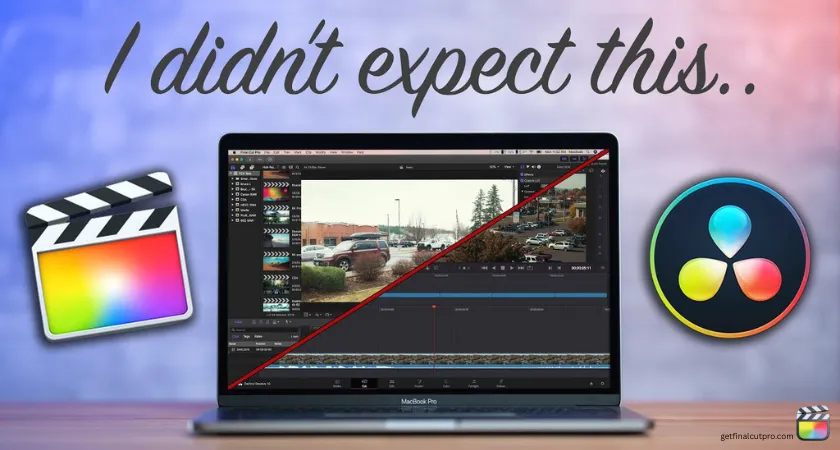
Feature Breakdown
Editing Tools & Timeline Experience
Final Cut Pro
Final Cut Pro is known for its Magnetic Timeline, which automatically snaps clips into position while preventing accidental desynchronization. This makes editing extremely fast and intuitive, especially for beginners and fast-paced content creators. Its UI is clean, minimalistic, and handling large projects feels light thanks to efficient media management.
Key editing strengths:
- Magnetic Timeline for effortless sequencing
- Real-time playback without proxy media
- Roles & metadata management
- Fast multicam editing
- Perfectly optimized for macOS
FCP focuses on speed and ease of use rather than deep complexity. It’s the ideal choice for YouTubers, social media editors, wedding filmmakers, and commercial creators who prioritize fast turnaround.
DaVinci Resolve
Resolve offers a traditional track-based timeline, giving editors deeper precision and flexibility. It includes three dedicated editing environments:
- Cut Page – simplified, fast trimming and timeline work
- Edit Page – advanced editing for professionals
- Fusion Page – node-based motion graphics
Advanced editing tools:
- Precise track-based control
- Powerful trimming functions
- Unlimited video/audio tracks
- In-depth keyframe animation
- Fusion node system for advanced visual editing
Resolve’s editing tools are more advanced overall, making it better for film editors, long-form creators, and those who want complete control instead of automation.
Winner (Editing):
Final Cut Pro for speed and simplicity
DaVinci Resolve for advanced professional editing
Color Grading
Final Cut Pro
Final Cut Pro offers:
- Color wheels
- Curves
- HSL controls
- LUT support
- Basic color masks
Its grading tools are good for creators but nowhere near industry-level color correction. You can achieve great results, but advanced graders may feel limited.
DaVinci Resolve
Resolve is universally recognized as the world’s best color grading software, used in Hollywood films and high-end productions.
Features include:
- Node-based color workflow
- Precision tracking & masking
- HDR grading
- Film-grade color wheels
- Qualifiers & advanced scopes
- Full color-managed pipeline (ACES, DaVinci Wide Gamut)
Resolve’s color science is unmatched. If color grading is your top priority, Resolve wins effortlessly.
Winner (Color Grading):
DaVinci Resolve – no competition.
Effects, Motion Graphics & VFX
Final Cut Pro
FCP integrates well with Motion, Apple’s dedicated motion graphics tool. You can create custom templates, titles, transitions, and animations directly inside FCP via Motion files.
Highlights:
- Plugins + Motion templates
- Titles & transitions library
- Good third-party ecosystem
- Smooth real-time playback
For casual editing, the built-in effects are great. For advanced VFX, Motion is good but nowhere near Fusion’s power.
DaVinci Resolve
Resolve includes Fusion, its own node-based VFX and compositing engine rivaling After Effects.
Capabilities include:
- Node-based compositing
- 2D/3D motion graphics
- Particles & physics
- Keying, tracking, rotoscoping
- Advanced visual effects creation
Fusion provides cinematic-level VFX inside the same software environment—something Final Cut cannot offer natively.
Winner (Effects/VFX):
DaVinci Resolve – more powerful and professional.
Audio Editing
Final Cut Pro
FCP provides strong audio controls but lacks a dedicated audio mixing environment.
Included features:
- Loudness correction
- Voice isolation
- Background noise removal
- Audio roles for organization
You can send projects to Logic Pro, but the in-app audio tools are designed more for simplicity than advanced mixing.
DaVinci Resolve
Resolve includes Fairlight, a full digital audio workstation (DAW) created for professionals.
Fairlight provides:
- Multi-track mixing
- ADR tools
- EQ, compression, gating
- Immersive audio formats (Dolby Atmos)
- Real-time automation
Fairlight rivals top audio software like Pro Tools.
Winner (Audio):
DaVinci Resolve – industry-level audio editing tools included.
Platform Support & Performance
Final Cut Pro
- Runs only on macOS
- Optimized for Apple Silicon (M1, M2, M3)
- Smooth playback even with 4K/6K footage
- Outstanding render/export speeds
Because it’s designed only for Apple hardware, Final Cut Pro delivers unbeatable performance efficiency.
DaVinci Resolve
- Available on Mac, Windows, and Linux
- High GPU usage for rendering and playback
- Great performance on powerful machines
- Apple Silicon optimization has improved significantly
Resolve is more resource-intensive, but on a well-equipped system, it performs exceptionally well.
Winner (Performance):
Final Cut Pro for speed and optimization
DaVinci Resolve for cross-platform compatibility
Learning Curve & UI
Final Cut Pro
FCP’s UI is clean, modern, and easy to understand. Beginners can start editing within hours.
Pros:
- Intuitive layout
- Faster onboarding
- Beginner-friendly tools
This simplicity is why many YouTubers and vloggers prefer FCP.
DaVinci Resolve
Resolve has a steeper learning curve due to:
- Multiple pages (Cut, Edit, Fusion, Color, Fairlight, Deliver)
- Node-based systems
- Professional-grade tools
While demanding at first, it gives you far more creative power as you grow.
Winner (Learning Curve):
Final Cut Pro – easier for beginners
Resolve – better long-term skill growth
Pricing & Flexibility
Final Cut Pro
- One-time payment: $299 (lifetime license)
- No monthly fees
- Motion & Compressor sold separately
Good value for Mac users—but only Mac users.
DaVinci Resolve
- Free version with 85% of the features
- DaVinci Resolve Studio (Paid): $295 one-time
The free version alone beats many premium editors, making Resolve a favorite for budget-conscious creators.
Winner (Pricing):
DaVinci Resolve – unbeatable value with the free version
Comparison Table
| Feature | Final Cut Pro | DaVinci Resolve |
|---|---|---|
| Editing Workflow | Magnetic Timeline | Track-based Editing |
| Color Grading | Good | Industry-leading |
| Effects & VFX | Motion integration | Fusion (Advanced VFX) |
| Audio Tools | Basic–Intermediate | Fairlight (Professional) |
| Performance | Best on Mac | Great on all platforms |
| Platform Support | macOS only | Windows, Mac, Linux |
| Learning Curve | Easy | Moderate/Advanced |
| Pricing | $299 one-time | Free + $295 Studio |
| Ideal For | YouTubers, fast editors | Filmmakers, colorists, professionals |
Final Verdict
Choosing between Final Cut Pro and DaVinci Resolve depends entirely on your workflow and platform. If you use a Mac and want the fastest, smoothest editing experience with minimal complexity, Final Cut Pro is an amazing choice. It excels in speed, stability, and ease of use.
However, if you want the most powerful all-in-one editing solution—with industry-grade color grading, advanced VFX, deep audio tools, and a feature-packed free version—DaVinci Resolve is the better long-term investment. It offers more professional depth and works on any operating system.
In short:
- Final Cut Pro = Fast, simple, optimized for Mac
- DaVinci Resolve = Most advanced & best value editor
FAQs
Conclusion
Both Final Cut Pro and DaVinci Resolve are outstanding video editors, but they serve different types of creators. Final Cut Pro is perfect for Mac users who value speed and intuitive editing. DaVinci Resolve is ideal for filmmakers and professionals who want the most advanced color grading, audio tools, and VFX capabilities in one place. Your final choice depends on your workflow, hardware, and the level of creative control you want.